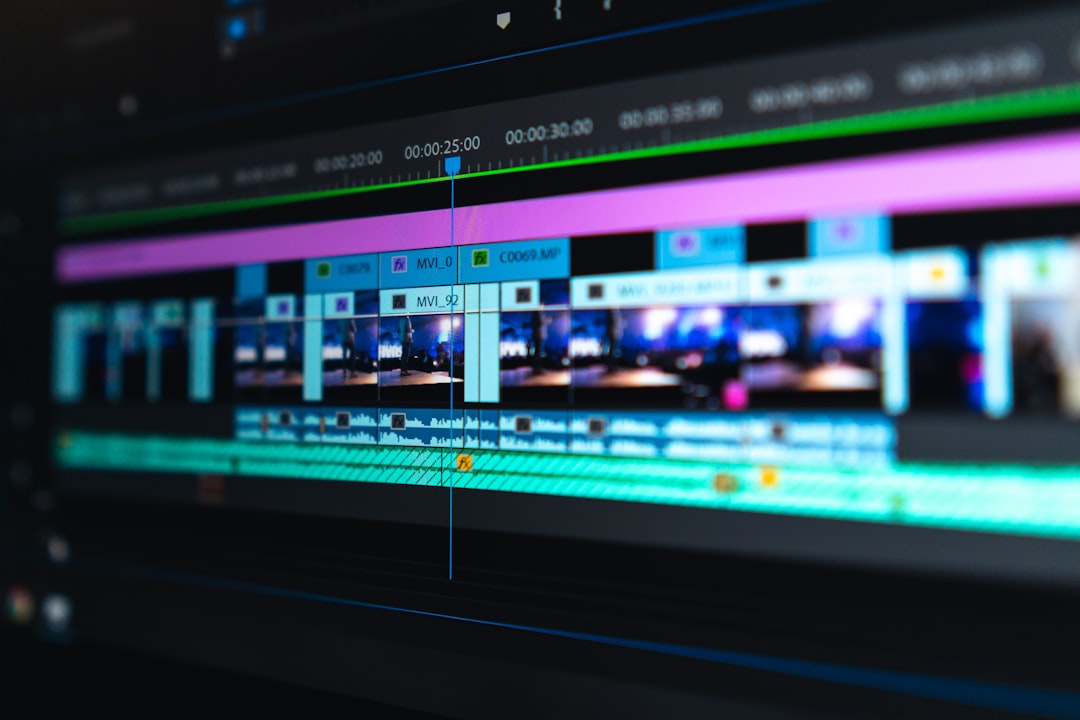
Great video editing isn't just about stunning visuals. Audio quality often makes the difference between amateur and professional work. Viewers will tolerate mediocre video quality far more readily than poor audio. Understanding audio mixing fundamentals transforms good edits into compelling, professional productions that keep audiences engaged.
Understanding Audio Levels and Standards
Before mixing, understand proper audio level standards. Broadcast television requires dialogue to peak around -12dB to -10dB, while online platforms like YouTube recommend -14dB LUFS for overall loudness. These measurements ensure your audio isn't too quiet or distorted by being too loud. Use your audio meters constantly, not just during final export.
Premiere Pro and other editing software display audio levels in decibels, with 0dB representing the maximum level before clipping occurs. Professional mixes maintain dialogue between -12dB and -6dB, leaving headroom for occasional louder moments. Music and sound effects should sit lower, typically -18dB to -22dB, ensuring they support rather than overpower dialogue.
Dialogue Cleaning Fundamentals
Dialogue is the foundation of most video content, and cleaning it properly is essential. Start by removing unwanted noise using high-pass filters that eliminate low-frequency rumble from air conditioning, traffic, or handling noise. Most dialogue requires filtering below 80-100Hz, where useful voice information rarely exists but environmental noise thrives.
Use de-essers to control harsh sibilant sounds, those sharp "s" and "sh" sounds that can be piercing. DeNoise plugins help reduce background hiss, but use them conservatively as excessive noise reduction makes voices sound unnatural and processed. The goal is natural-sounding dialogue that's clear and intelligible without obviously sounding treated.

EQ Techniques for Video Audio
Equalization shapes the frequency balance of your audio. For dialogue, a subtle boost around 3-5kHz adds presence and clarity, helping voices cut through music and effects. Reduce frequencies around 200-400Hz if voices sound muddy or boxy. These adjustments should be subtle, typically no more than 3-6dB.
When working with multiple dialogue tracks, EQ helps separate speakers. If you have male and female voices, you can slightly boost higher frequencies on the female voice and lower frequencies on the male voice, creating distinct sonic spaces. This technique, called complementary EQ, prevents voices from masking each other even when speaking simultaneously.
Music Selection and Mixing
Music sets emotional tone but should never compete with dialogue. Choose music that complements rather than distracts from your content. Instrumental tracks work better than songs with lyrics unless the lyrics specifically support your message. Consider the music's frequency range; tracks with heavy bass or prominent mid-range instruments require more careful mixing to avoid masking dialogue.
When mixing music under dialogue, use sidechain compression or manual ducking to automatically reduce music volume when someone speaks. This technique, common in professional productions, ensures dialogue remains clear while maintaining musical energy during pauses. Most editing software includes ducking effects specifically designed for this purpose.
Implementing Ducking and Compression
Ducking automatically lowers the volume of one audio element when another is present. Set your dialogue as the source and music as the target. When dialogue plays, music volume reduces automatically, then returns when dialogue stops. Adjust the ducking amount to 6-10dB for subtle results or up to 15-20dB for more dramatic effect.
Compression reduces the dynamic range of audio, making quiet parts louder and loud parts quieter for more consistent levels. Apply gentle compression to dialogue with a ratio of 2:1 or 3:1, threshold around -18dB, and slow attack/release times. This evens out volume variations between sentences without making the audio sound squashed or unnatural.
Sound Effects Integration
Sound effects add realism and impact but can quickly become overwhelming. Layer sound effects starting with the most important foreground sounds, then add background ambience. Foreground effects should be clear and prominent, while background sounds create atmosphere at much lower volumes, barely noticeable but missed when absent.
Match sound effects to the visual timing precisely. A door closing sound should align exactly with the visual moment the door latches, not frames before or after. Use crossfades between sound effects to avoid abrupt starts and stops that sound unnatural. Even harsh sounds like explosions benefit from brief fade-ins measured in milliseconds.
Creating Effective Audio Transitions
Audio transitions are as important as visual ones. Use J-cuts and L-cuts where audio from the next scene begins before the visual cut or continues after it. This technique, standard in professional editing, creates smooth transitions that feel natural. The audio from the next scene primes viewers for the visual change, making cuts less jarring.
Apply short crossfades to all audio cuts, even when cutting between different parts of the same recording. These crossfades, typically 5-10 frames, eliminate clicks and pops caused by abrupt waveform cuts. They're barely noticeable but make a significant difference in overall audio smoothness, especially when wearing headphones.
Room Tone and Ambience
Never leave complete silence in your mix. Even indoor scenes have subtle room tone, the barely audible sound of a space. Recording or adding room tone creates consistency between cuts and makes edited dialogue sound natural. Without it, cuts between sentences or scenes feel abrupt and artificial, immediately signaling poor audio work.
Ambience tracks vary by scene location. Outdoor scenes need appropriate background sounds like birds, wind, or distant traffic. Interior scenes require subtle room tone with occasional realistic sounds like air conditioning hum or distant voices. These elements should sit far back in the mix, felt more than heard, creating sonic space and realism.
Mastering for Different Platforms
Different platforms have different audio requirements. YouTube recommends -14 LUFS with -1dB true peak maximum. Instagram and TikTok prefer slightly louder mixes around -12 to -10 LUFS. Broadcast television has strict standards, typically requiring -23 LUFS for overall program loudness. Use loudness meters in your editing software to ensure compliance.
Export audio at the same sample rate you edited with, typically 48kHz for video. While 44.1kHz is standard for music, 48kHz is the video industry standard and what cameras record. Avoid unnecessary sample rate conversions that can introduce artifacts. Export at 16-bit or 24-bit depth depending on platform requirements, with 16-bit suitable for most web delivery.
Monitoring and Reference Listening
Mix on calibrated studio monitors or professional headphones, not computer speakers or earbuds. Consumer audio devices often have exaggerated bass or enhanced high frequencies that don't represent your actual mix. After mixing, check your work on multiple playback systems: laptop speakers, phone speakers, earbuds, and car audio if possible.
Take breaks during long mixing sessions as ear fatigue affects judgment. After an hour of continuous listening, you lose the ability to make accurate mixing decisions. Brief breaks let your ears reset. Also, compare your mix to professional content in a similar genre. This reference listening helps you calibrate your mixing decisions against industry standards.
Conclusion
Audio mixing transforms acceptable videos into professional productions that hold audience attention. Master these fundamentals: proper level management, dialogue cleaning, strategic music placement, and appropriate sound effects layering. Remember that subtle improvements across all audio elements create a polished overall mix. Start implementing these techniques today, and you'll immediately hear the difference in your video projects. Professional audio quality is within reach for any editor willing to spend time learning and applying these essential mixing principles.